Bring scattered copies together.
Choose your folders and inspect the scan results. See what matches, where each file lives, and which copy you want to keep.
Duplicate file review for Windows
Find the extra copies. Choose what stays. Move confirmed duplicates into recoverable quarantine, with a clear plan before every cleanup.
Available on Microsoft Store · Windows 10 and 11
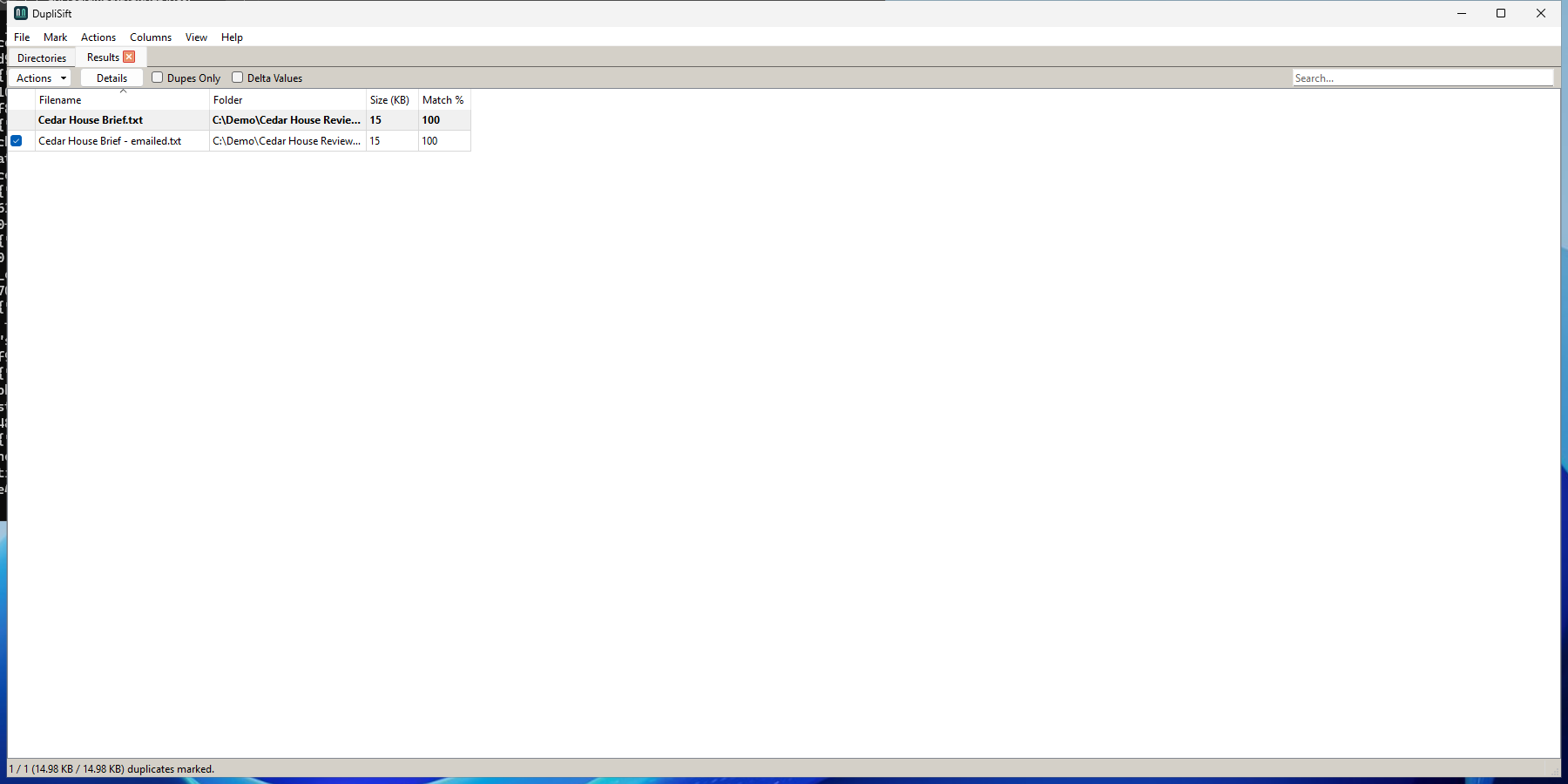
Choose your folders and inspect the scan results. See what matches, where each file lives, and which copy you want to keep.
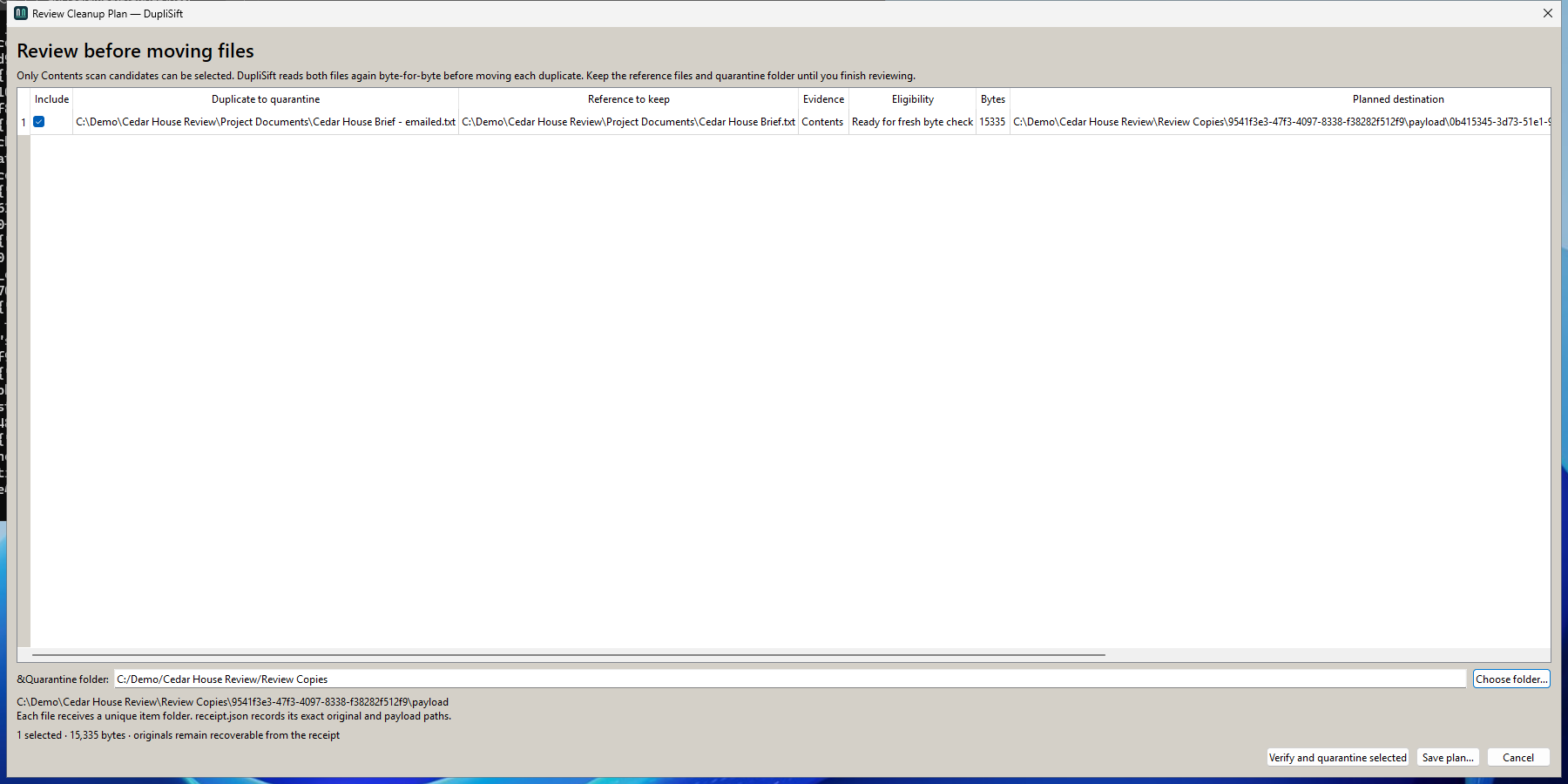
Open a cleanup plan before acting. The quarantine workflow checks candidate bytes against their references, so similarity alone does not authorize a move.
Keep the quarantine files and their receipts together. Review the outcome and restore a file when its original location is available.
Your files. Your decision.
Extra copies can hide in downloads, project folders and old exports. Turn a scan into a visible decision: keep the reference, inspect the proposed moves, then choose when to proceed.
A little order, one step at a time
Work locally on your computer. No account or cloud upload is needed for the scan, quarantine and restore workflow.
Quarantine keeps recoverable copies on disk. It does not immediately reclaim their storage space.
Inspect the results and check the reference file before marking any extras.
Inspect the proposed moves. The app verifies eligible duplicates before moving them into quarantine.
See what happened and revisit it later. Restore checks the original path and refuses to silently overwrite an existing file.
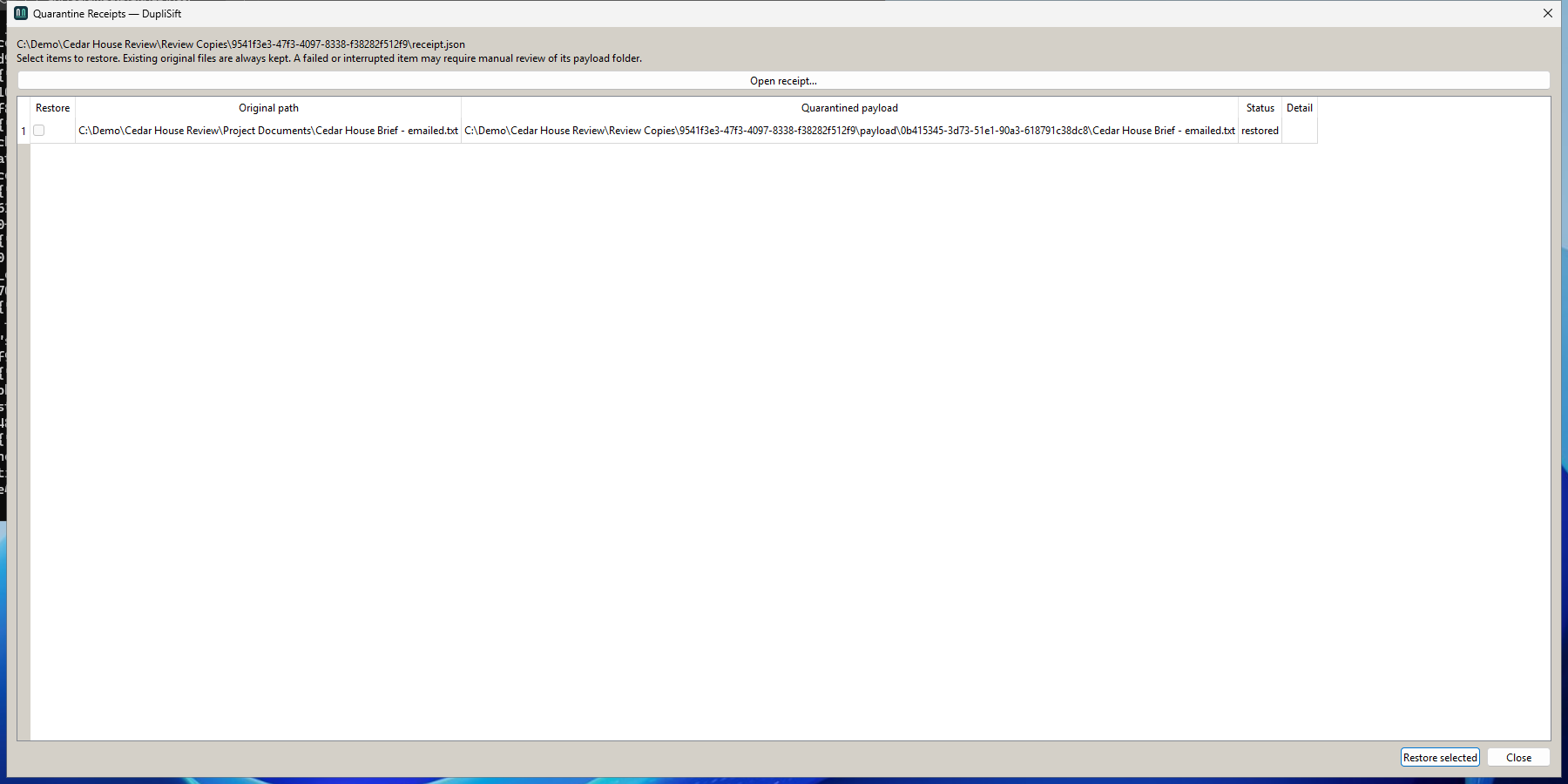
Screenshots use fictional demo files in the real Windows application. Keep an independent backup of important files.
One-time purchase
A focused desktop workflow for reviewing duplicates and keeping a record of what you move.
US launch price · Pay once, no subscription.
Microsoft Store displays local prices and applicable taxes.
Before your first cleanup
Quarantine retains the files so that you can recover them. It is a review and recovery step, not an immediate space-saving operation. Keep the receipt and quarantine directory together.
No. Review the reference and selected files. The plan and quarantine workflow verifies eligible candidates against their reference bytes; a similarity score alone is not enough.
Restore reports the conflict and leaves that file in place. Resolve the conflict yourself before trying again. DupliSift does not silently replace an occupied original path.
Scanning and the quarantine workflow run locally. File paths, plans and recovery receipts are kept on your computer. Read the privacy policy for details.
The x64 app requires Windows 10 version 2004 (build 19041) or later, including Windows 11. Contact support if you need help with a cleanup receipt or a restore conflict.
DupliSift is an independent Trieflow LLC product based on dupeGuru open-source software. Source code, build information and original license notices are available without charge.